

Install
On a laptop or workstation, SegAudit installs like any other desktop app: no Docker, no command line and no internet. For a shared jump host or a server, it also ships as one signed container image. Either way the browser does the analysis.
Install on Windows, Mac or Linux
Section titled “Install on Windows, Mac or Linux”Download the installer for your computer:
| Platform | File | Install |
|---|---|---|
| Windows 10 or 11 | SegAudit-Setup-X.Y.Z-windows-x64.exe |
Open it, click Next, then Install. It installs for your account only, with no administrator rights. |
| macOS 11 or later | SegAudit-X.Y.Z-macos.dmg (Apple silicon and Intel) |
Open it and drag SegAudit to Applications. |
| Ubuntu, Debian | segaudit_X.Y.Z_amd64.deb or _arm64.deb |
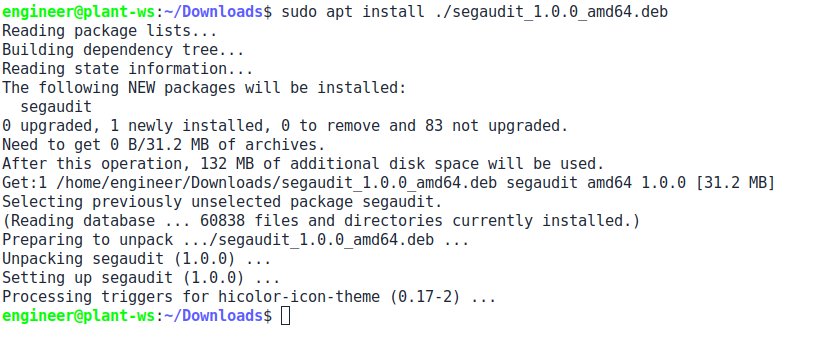
Open it with your software installer, or sudo apt install ./segaudit_X.Y.Z_amd64.deb. |
| Red Hat, Rocky, Fedora | segaudit-X.Y.Z-1.x86_64.rpm or .aarch64.rpm |
Open it with your software installer, or sudo dnf install ./segaudit-X.Y.Z-1.x86_64.rpm. |
Windows, step by step
Section titled “Windows, step by step”-
Open
SegAudit-Setup-X.Y.Z-windows-x64.exeand click Next.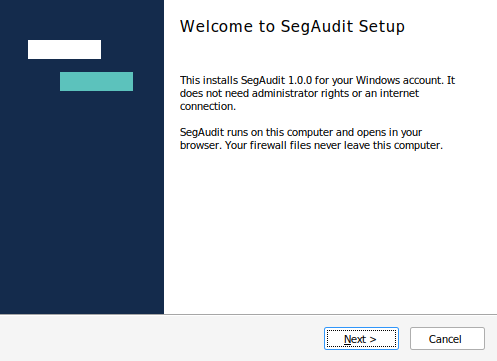
-
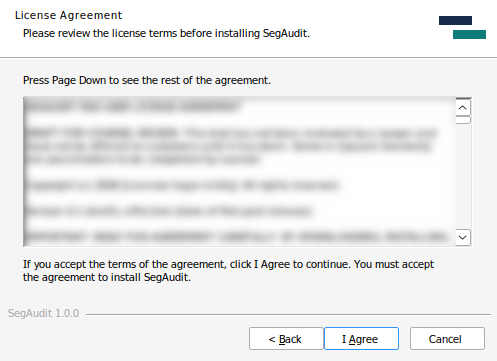
Click I Agree. SegAudit installs for your account.
-
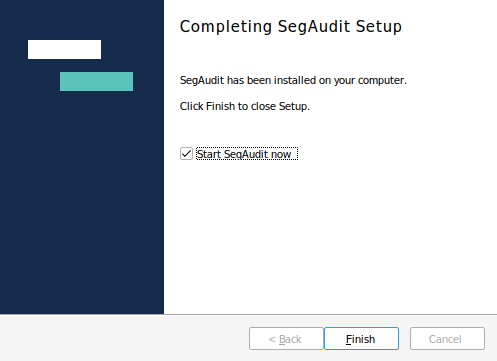
Click Finish with Start SegAudit now ticked. SegAudit opens in your browser.
Mac, step by step
Section titled “Mac, step by step”-
Open
SegAudit-X.Y.Z-macos.dmg.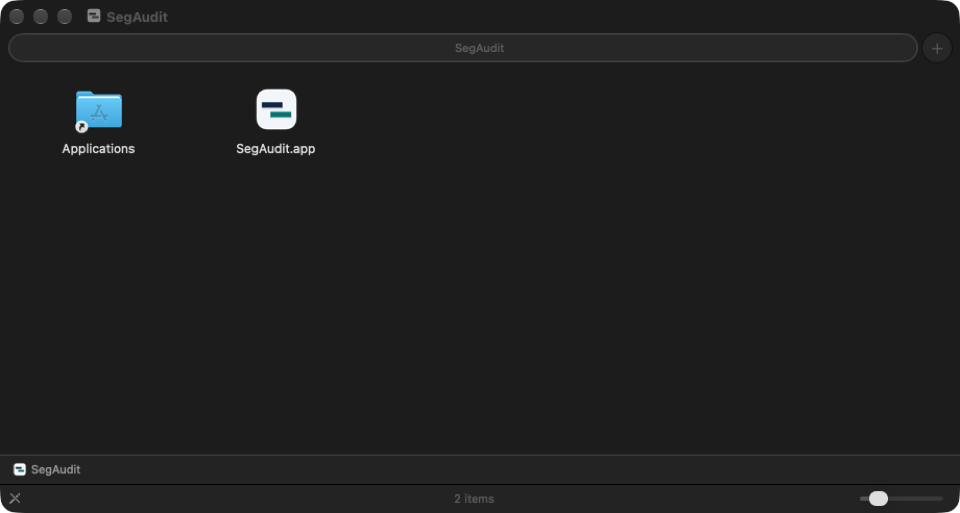
-
Drag SegAudit to Applications.
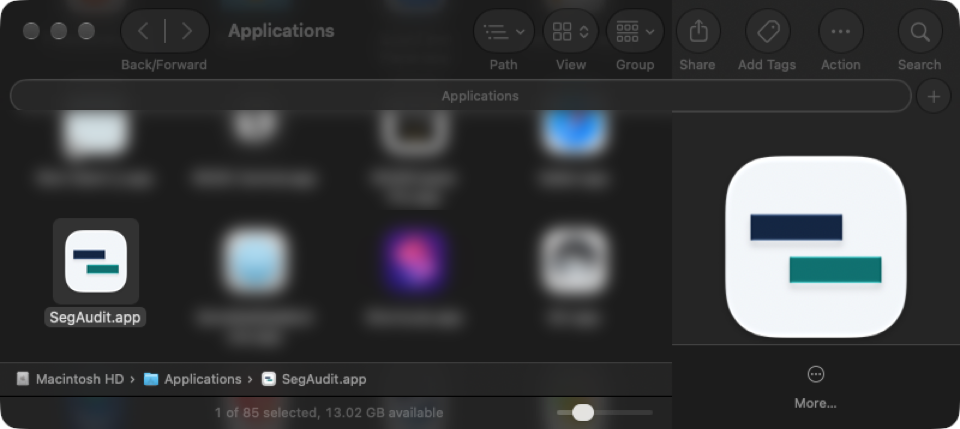
-
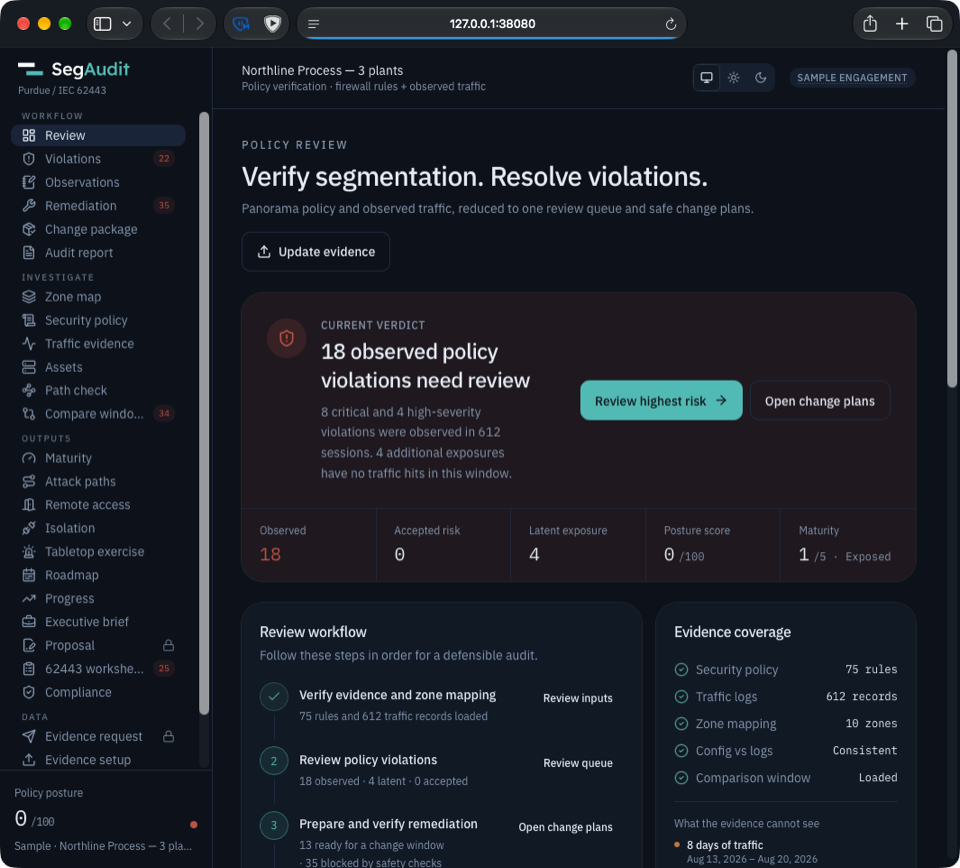
Open SegAudit from Applications. It opens in your browser and sits in the Dock; choose Quit to stop it.
Linux, step by step
Section titled “Linux, step by step”-
Install the package.
-
Start it from the app menu, or run
segaudit. A window shows that it is running and where the license folder is.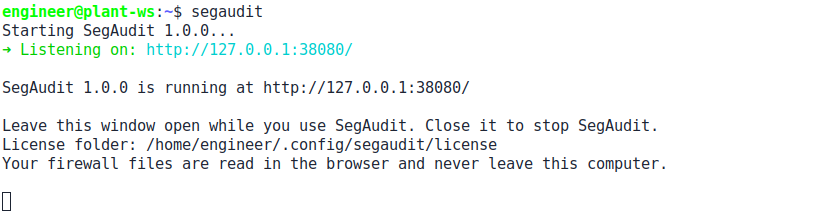
After you start it
Section titled “After you start it”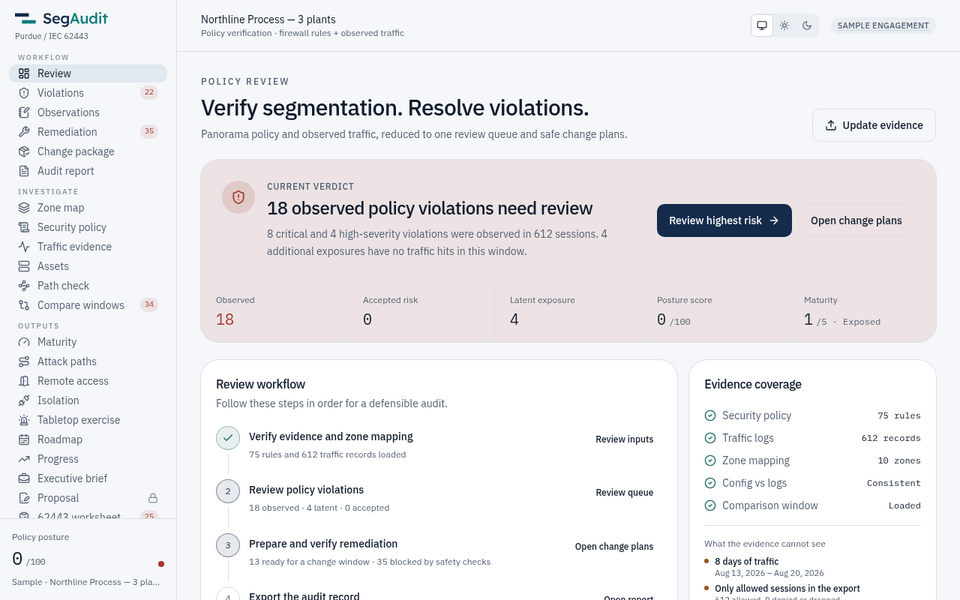
Start SegAudit from the Start menu, Applications or the app menu (segaudit on Linux). It opens http://127.0.0.1:38080 in your browser with the Northline Process sample loaded, and listens on this computer only. On Windows and Linux a small window shows that it is running; close it to stop SegAudit. On a Mac it sits in the Dock; choose Quit to stop it.
The first time, Windows may say “Windows protected your PC”: click More info, then Run anyway. macOS may say it cannot verify SegAudit: click Done, open System Settings > Privacy & Security, click Open Anyway and enter your password. Every installer is signed with Sigstore; see verify a download.
License folder
Section titled “License folder”Open SegAudit, go to the License page and drag your license file (it ends in .segaudit-licence.json) onto the Add your license box, or choose it, or paste its text.
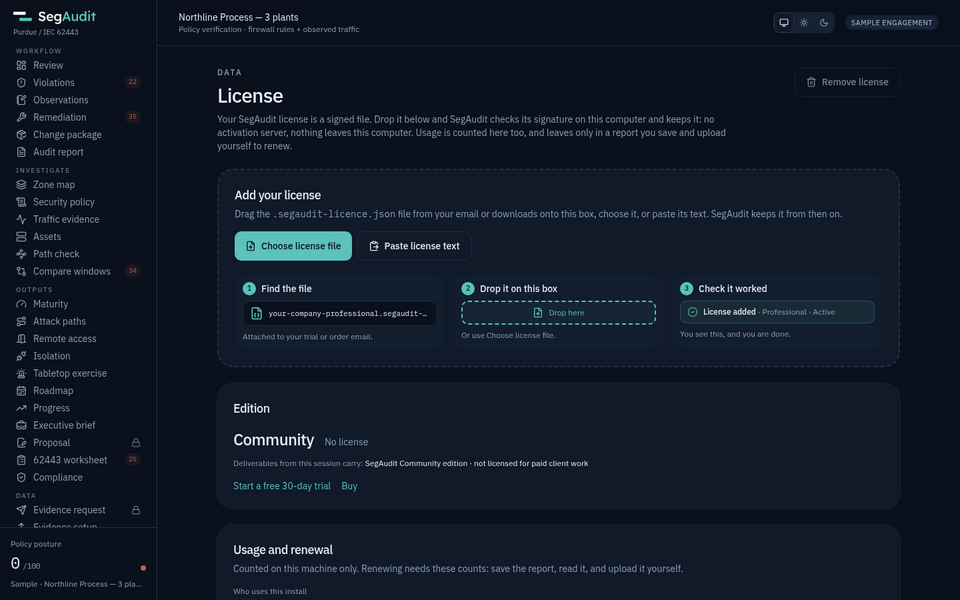
SegAudit checks it and saves it in its license folder for you, so it stays across browsers, cleared browser data, updates and reinstalls.
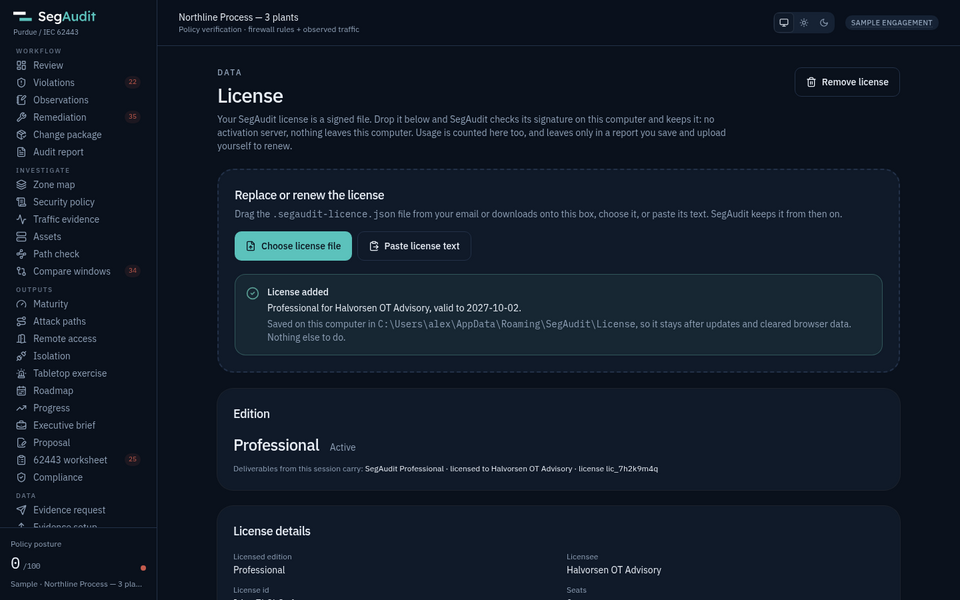
You see this, and you are done.
You never need to open the folder; copying the file there by hand also works. The License page names the folder:
| Platform | Folder |
|---|---|
| Windows | %APPDATA%\SegAudit\License (Start menu: SegAudit License Folder) |
| macOS | ~/Library/Application Support/SegAudit/License |
| Linux | ~/.config/segaudit/license |
Update the desktop app
Section titled “Update the desktop app”Download the new installer and run it over the old one. Your license and your work in the browser stay. On a computer with no internet, carry the installer across. The app never checks for updates by itself; the updates page says what is new.
Install on a server or jump host
Section titled “Install on a server or jump host”Download the bundle for your host’s CPU (amd64 for x86-64, arm64 for 64-bit Arm) with its .sha256, .sigstore.json and trusted_root.json files. In an empty folder with the four files:
tar -xzf segaudit-X.Y.Z-linux-amd64.tar.gz ./segaudit-update./segaudit-update segaudit-X.Y.Z-linux-amd64.tar.gzsegaudit-update checks the SHA-256 and the CPU type, checks the signature when Cosign is installed, loads the image, writes docker-compose.yml and starts it. Open http://127.0.0.1:8080. The Northline Process sample loads on its own.
The same steps work on a host with no internet. See air-gapped install.
License file on a server
Section titled “License file on a server”Put the license file in the licence folder next to docker-compose.yml. It is mounted read-only and lives outside the image, so updates never reset it. You can also drop the file on the License page; in a container that keeps it in that browser only, so the license folder is the way to keep it everywhere.
Settings
Section titled “Settings”Set these in a .env file next to docker-compose.yml:
| Variable | Default | Use |
|---|---|---|
SEGAUDIT_PORT |
8080 |
Host port |
SEGAUDIT_BIND |
127.0.0.1 |
Host address to listen on |
SEGAUDIT_TAG |
1 |
Image tag: 1 follows the newest 1.x, X.Y.Z stays on one version |
Update a server
Section titled “Update a server”On a connected host, ./segaudit-update --pull pulls the newest release for your SEGAUDIT_TAG and restarts. On an air-gapped host, run ./segaudit-update with the newer bundle. The updates page says what is newer than your version and whether it fixes a security issue.
The app never checks for updates by itself. To update a connected host automatically, schedule ./segaudit-update --pull with cron or a systemd timer.
Run without Compose
Section titled “Run without Compose”docker run --rm -p 127.0.0.1:8080:8080 \ --read-only --tmpfs /tmp --cap-drop ALL \ -v "$PWD/licence:/licence:ro" \ --name segaudit ghcr.io/lukeponio/segaudit:X.Y.ZThe image already runs as a non-root user. Do not add --network host on a firewall management interface.
Sharing a jump host
Section titled “Sharing a jump host”There is no built-in sign-in, by design. Bind to localhost, or put a reverse proxy with TLS and your own access controls in front of it.
Resources
Section titled “Resources”| Use | Memory | CPU |
|---|---|---|
| Single auditor | 256 MB | 0.25 |
| Shared jump host | 512 MB | 0.5 |