
More assessments, same team.
The analysis and the write-up are the slow part of a segmentation assessment. SegAudit does both from the client's own firewall config and traffic log, so your consultants spend their days on judgment, not spreadsheets.
Config auditors tell you what could connect. SegAudit shows what did, and hands you the change package to close it.
Where assessment time goes
Chasing evidence
The client's engineer is not sure what to export, the first files come back from the wrong week, and a day goes on email before analysis starts.
Analysis in spreadsheets
Mapping zones, filtering sessions and matching them to rules by hand is slow, and it is hard for a second consultant to check.
Writing it up
The report, the change plan, the executive summary and the follow-on proposal are each written from scratch, under deadline.
An engagement with SegAudit
The tool runs on your workstation or a jump host the client provides. It never connects to their firewall.
Send the evidence request
Choose Panorama, a PAN-OS firewall, FortiGate, FortiAnalyzer, Cisco ASA, Cisco FTD (FMC) or Check Point, enter the device and the traffic window, and SegAudit writes copy-paste export instructions for their engineer: web UI, script or CLI, on Windows, macOS or Linux. Export scripts in Python and PowerShell collect both files from PAN-OS and FortiGate, and the FMC export for FTD, and print their SHA-256; for an ASA, the request walks them through a recorded SSH session and the syslog export.
Load and check the files
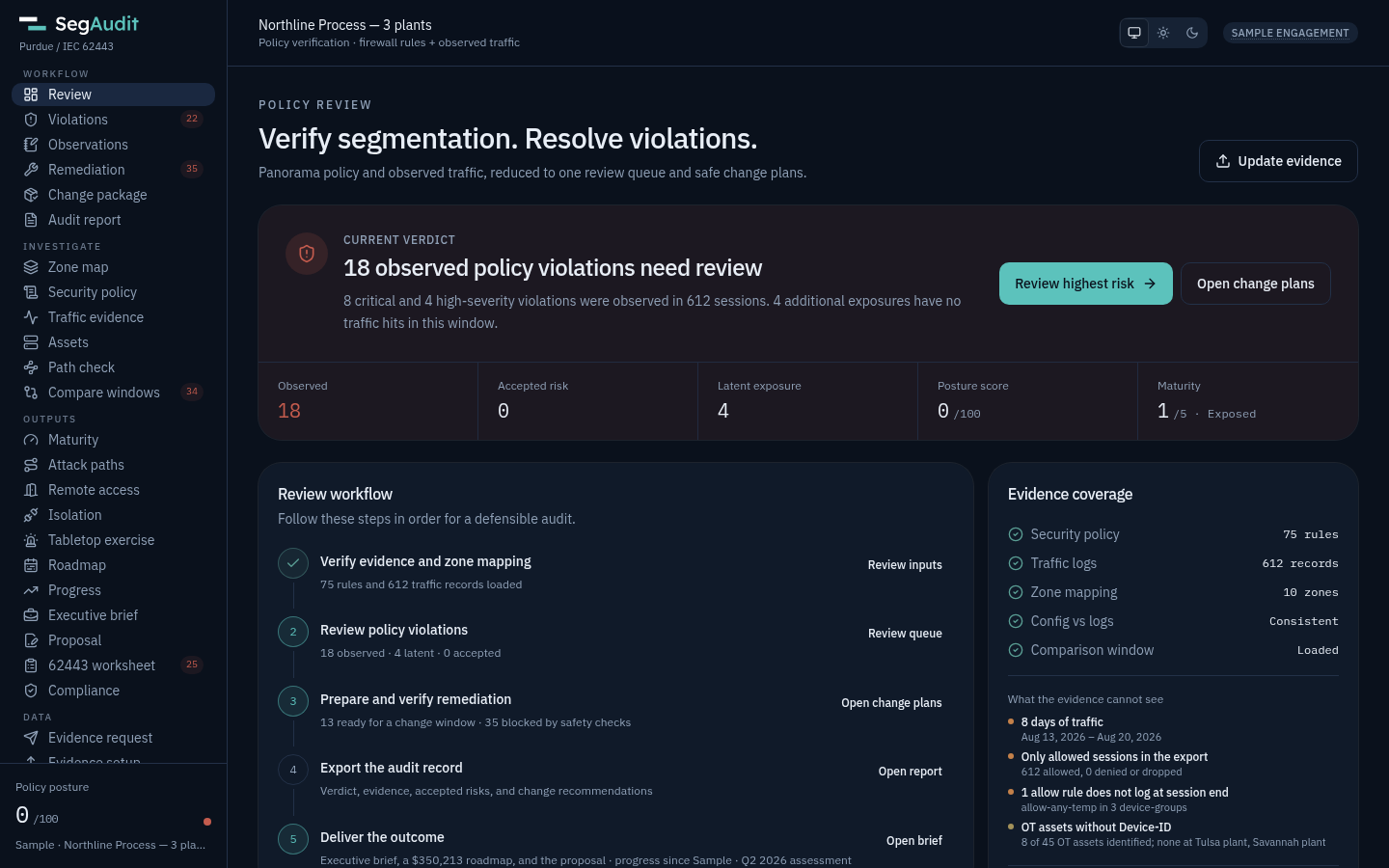
Check the hashes, then drop the running config and traffic log in. SegAudit flags a config and log that do not belong together, and a list of what the evidence cannot see, such as a short window or rules that do not log, goes into the report's scope notes.
Confirm the zone model
Correct the Purdue level of each zone, set the target security level for each zone, and review what each hop should carry.
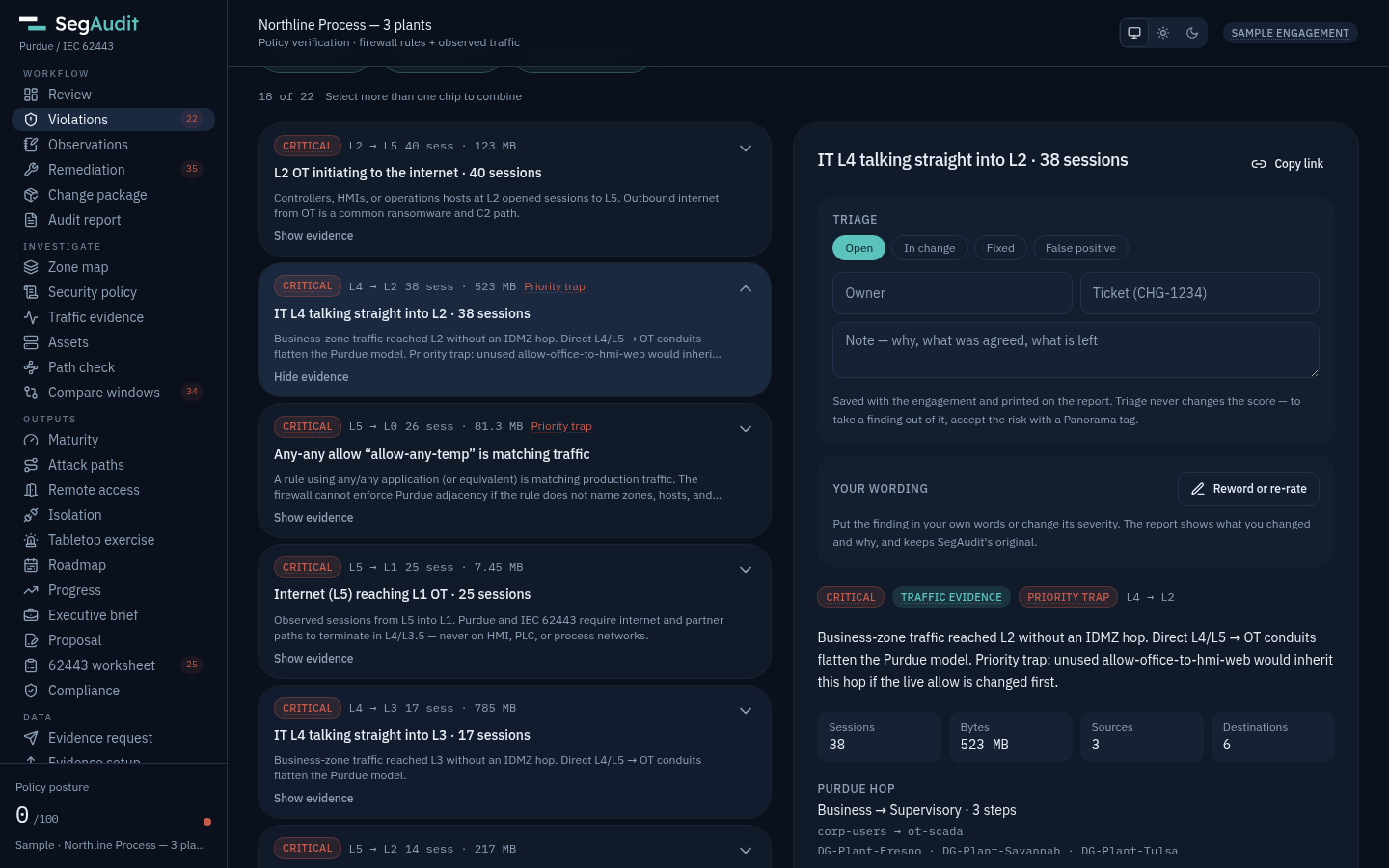
Review and triage findings
Observed violations and latent exposure sit in one queue, ranked by risk, with the sessions and rules behind each. Give each finding an owner, a ticket and a status as you work, and reword or re-rate it in your own words with the reason.
Add what you saw on site
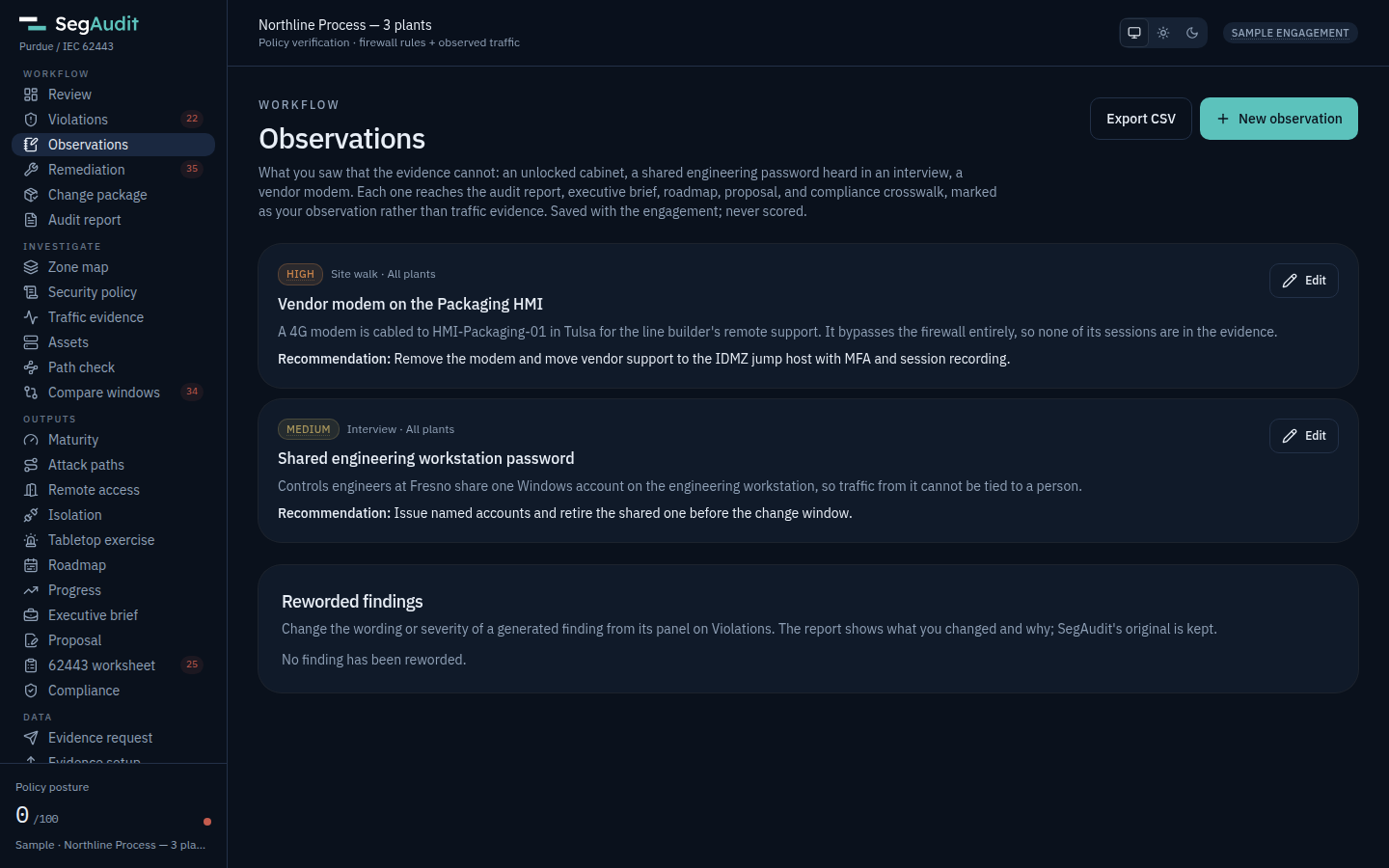
Record what the firewall evidence cannot show, such as an unlocked cabinet, a shared password heard in an interview or a vendor modem. Observations reach the report, briefs, roadmap, proposal and crosswalk, marked as yours.
Deliver
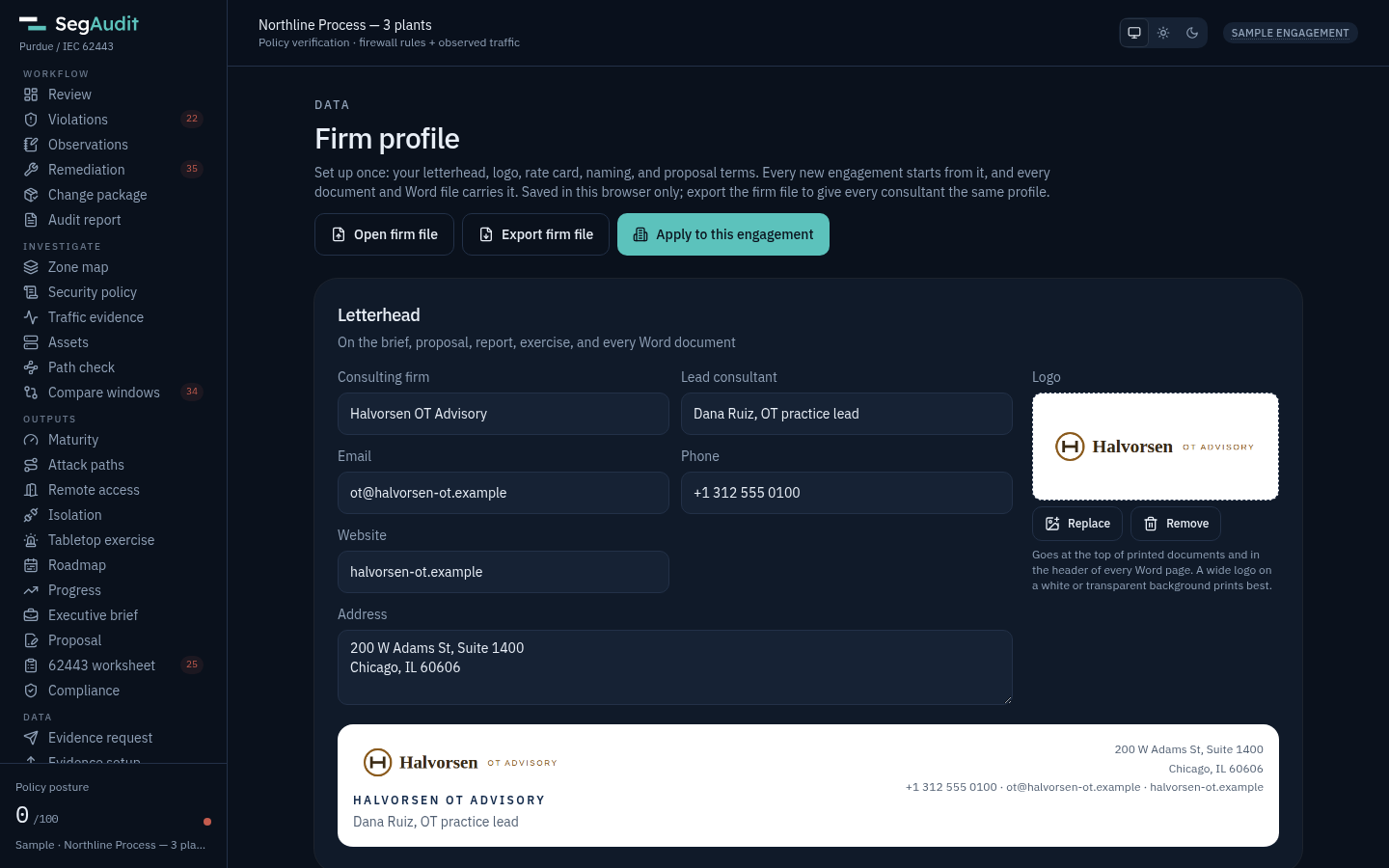
Your firm profile puts your logo, letterhead, rate card and proposal terms on every engagement. The brief, report, change package, roadmap and proposal come out in Word under your firm's template, and one .zip carries the lot with the evidence hashes, password-protected if the client asks.
What you hand the client
Every deliverable is computed from the same evidence, so the brief, the report and the proposal always agree.
Executive brief
One printable page for the plant manager, CISO or board, one per plant, or seven readout slides for the meeting.
Audit report
Findings, scope notes and chain of custody with the source SHA-256s. An optional NIST SP 800-82r3 overlay restates findings in that language.
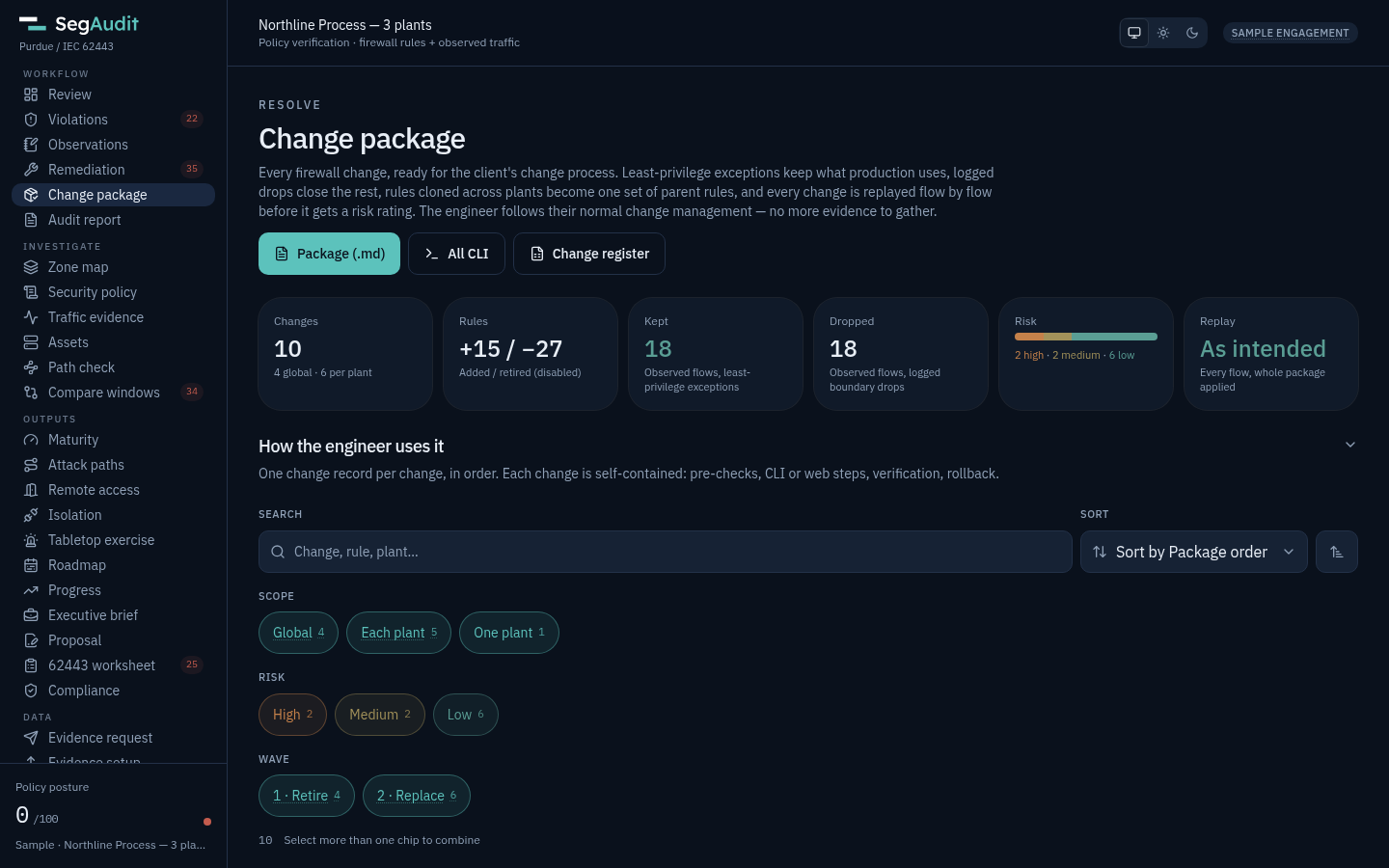
Change package
Least-privilege exceptions for the flows production uses and logged drops for the rest, each with a risk rating, CLI, web steps, verification and rollback.
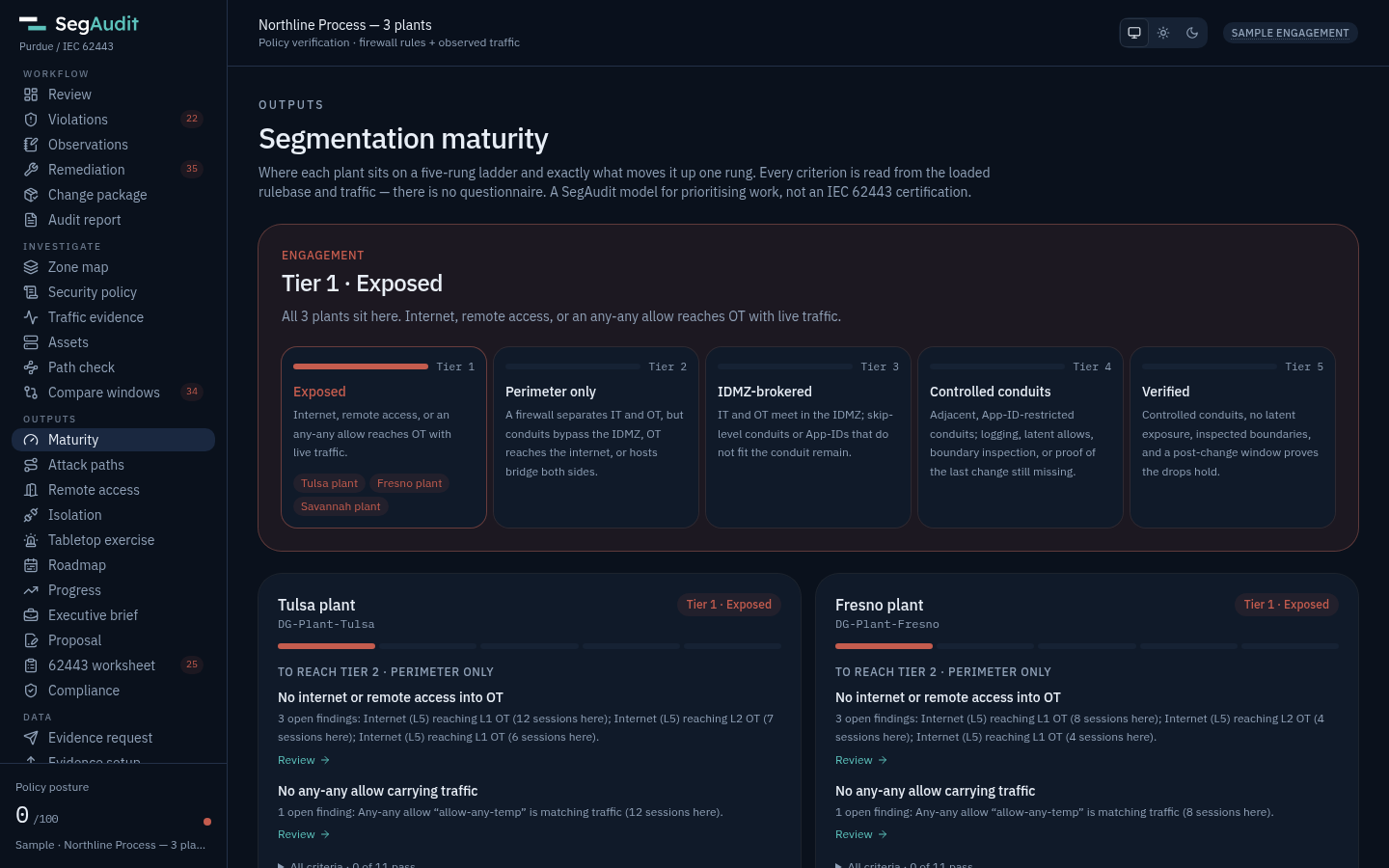
Roadmap and business case
Every plan in four waves, costed from your rate card. You set the rate, hours per window and per host, and every number follows.
Proposal
The follow-on statement of work: a phase per wave with hours and fees, acceptance tied to post-change verification, and optional services justified by findings.
Compliance crosswalk
Supported, partial or gap for the frameworks the client answers to, listed first, including NERC CIP, TSA, water, Coast Guard and UK CAF for clients in those sectors. See the frameworks page.
62443-3-2 worksheet
Each observed conduit with its target security level and the proposed fix.
Tickets, tabletop and SOC
Change tickets as CSV for Jira or ServiceNow, a ransomware tabletop built on the client's own paths, and Splunk and Sentinel detections.
Your firm, on every engagement
Firm profile
Set your firm's name, lead consultant, address, logo, default frameworks, rate card, naming and proposal terms once. Export it as a firm file so every consultant quotes from the same card.
Word under your template
Every document exports as a .docx in Word's own styles, so attaching your firm's template restyles it. Your logo heads every page, and the paper is Letter or A4 by region.
Your judgment stays visible
Observations and reworded findings are printed as yours, with the reason, so a reader can tell them from traffic evidence. The score keeps the tool's own severities.
Client data locked down
Encrypt the saved engagement with a passphrase (AES-256-GCM, in the browser), and hand over the deliverables as an AES-256 password-protected zip.
Easy for the client to approve
- Nothing on the client networkNo agent, no span port, no firewall login. Only exported files are read.
- Evidence stays on your machineFiles are read in the browser and held in memory. Nothing is uploaded, there is no telemetry, and the saved engagement can be encrypted with a passphrase.
- Read-only collectionThe export scripts only read configuration and logs. They never change a policy or commit.
- A pack for their reviewersSend the client's security team the trust center and the security pack.
Pay per engagement or per consultant
An Engagement license is $2,500 per engagement: One client, 90 days, up to 5 plants ($400 per extra plant). Professional is $6,000 per named consultant per year ($500 a month, billed yearly · 5-seat firm pack $24,000) and covers unlimited engagements and plants. Both put your firm's letterhead and the client's name on every deliverable.
Questions consultants ask
What if the client has no Panorama?
SegAudit also reads a standalone PAN-OS firewall config, FortiGate backups with FortiGate or FortiAnalyzer logs, Cisco ASA running configs with the ASA's syslog, FMC exports with the FTDs' syslog, and Check Point exports with their logs. See firewall support.
How much traffic should I ask for?
A week shows what is in use. Ask for 30 days or more when the work will retire rules that look unused, so rarer flows show up.
Can I pick the engagement up next quarter?
Yes. Save the engagement as a file, encrypted if you like, then load next quarter's config and log into it. Checkpoints, observations, the rate card, the letterhead and downtime costs carry over, and Progress shows what moved.
Is the roadmap a quote?
It is an estimate to scope the work. Plant downtime, hardware, licenses and project management are not in it, and the proposal adds a contingency you set.
Can I edit the deliverables?
Yes. Every document exports as a Word .docx in Word's own styles, so it takes your firm's template, and as markdown. Findings, tickets and inventories export as CSV.
Can I try the paid features first?
Yes. The free Community edition runs the full analysis of one plant, up to 2 firewalls, with a Community footer on reports. For your letterhead, start a 30-day Professional trial.
The consultant workflow summarizes an engagement step by step. Auditing your own plants instead? See SegAudit for plant teams, or read how it works step by step.