
Know your segmentation holds, every quarter.
Run SegAudit on a jump host inside your own network. It reads your firewall config and the sessions the firewall logged, shows which paths into the plant are really in use, and writes the change window that closes them without stopping production.
Why segmentation slips
Rules drift between audits
Allows added during an outage or a vendor visit stay open. A rulebase review alone can't tell which ones still carry traffic.
Nobody wants to cut production
Without the sessions behind each rule, a drop is a guess, so risky allows survive another year.
Audits take weeks of spreadsheets
Exporting, mapping zones and writing up findings by hand means the review happens once a year, if that.
A quarter with SegAudit
The same five steps every quarter, so the review becomes routine instead of a project.
Export the files
An engineer exports the Panorama running config, FortiGate backup, ASA running config or FMC export, and a traffic log if the firewall keeps one, from the plant, by web UI, CLI or the export scripts. SegAudit never connects to the firewall.
See what is really open
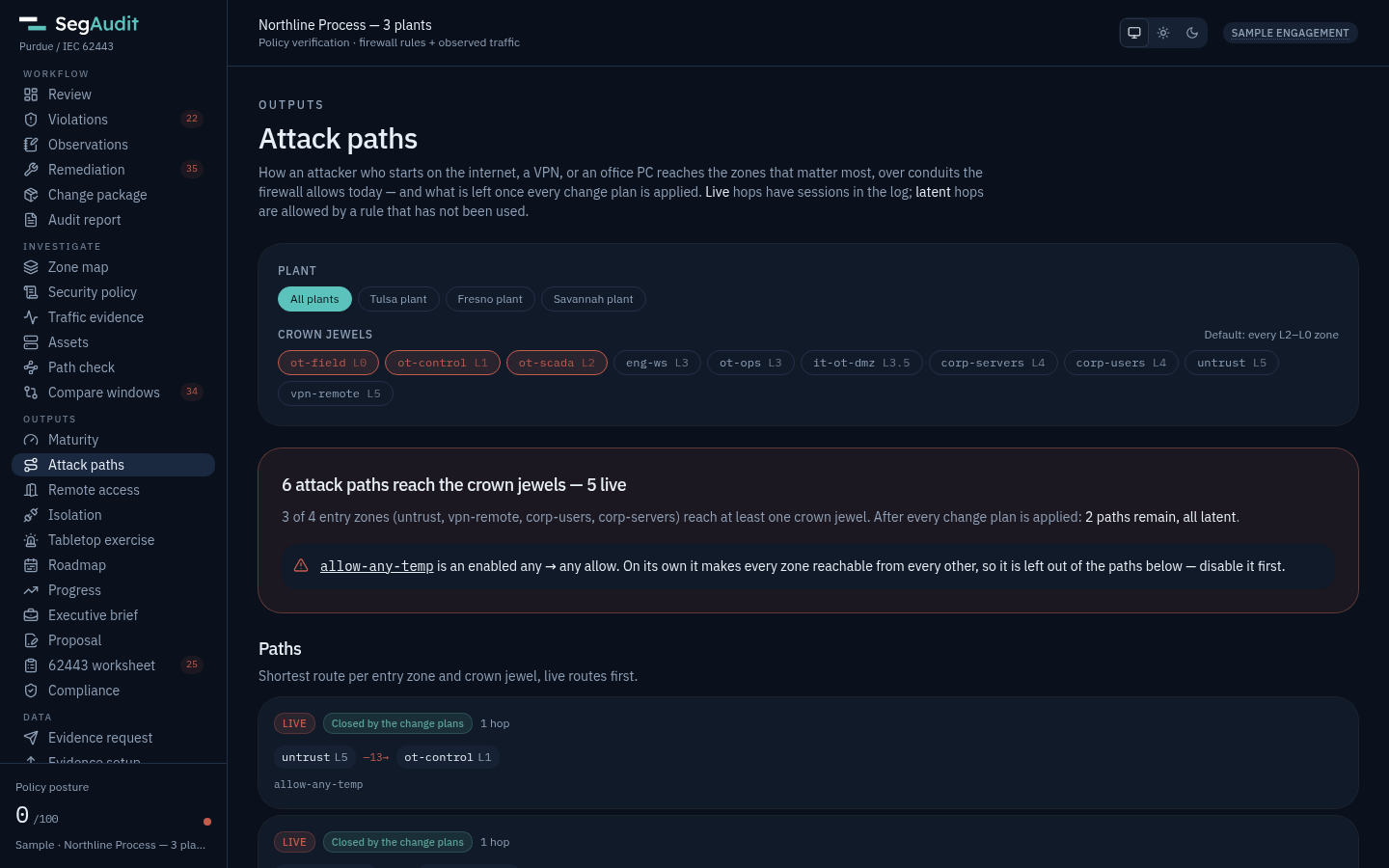
Zones land on the Purdue model, and every session that crosses a level it shouldn't is ranked by risk with the rule that allowed it.
Plan the change window
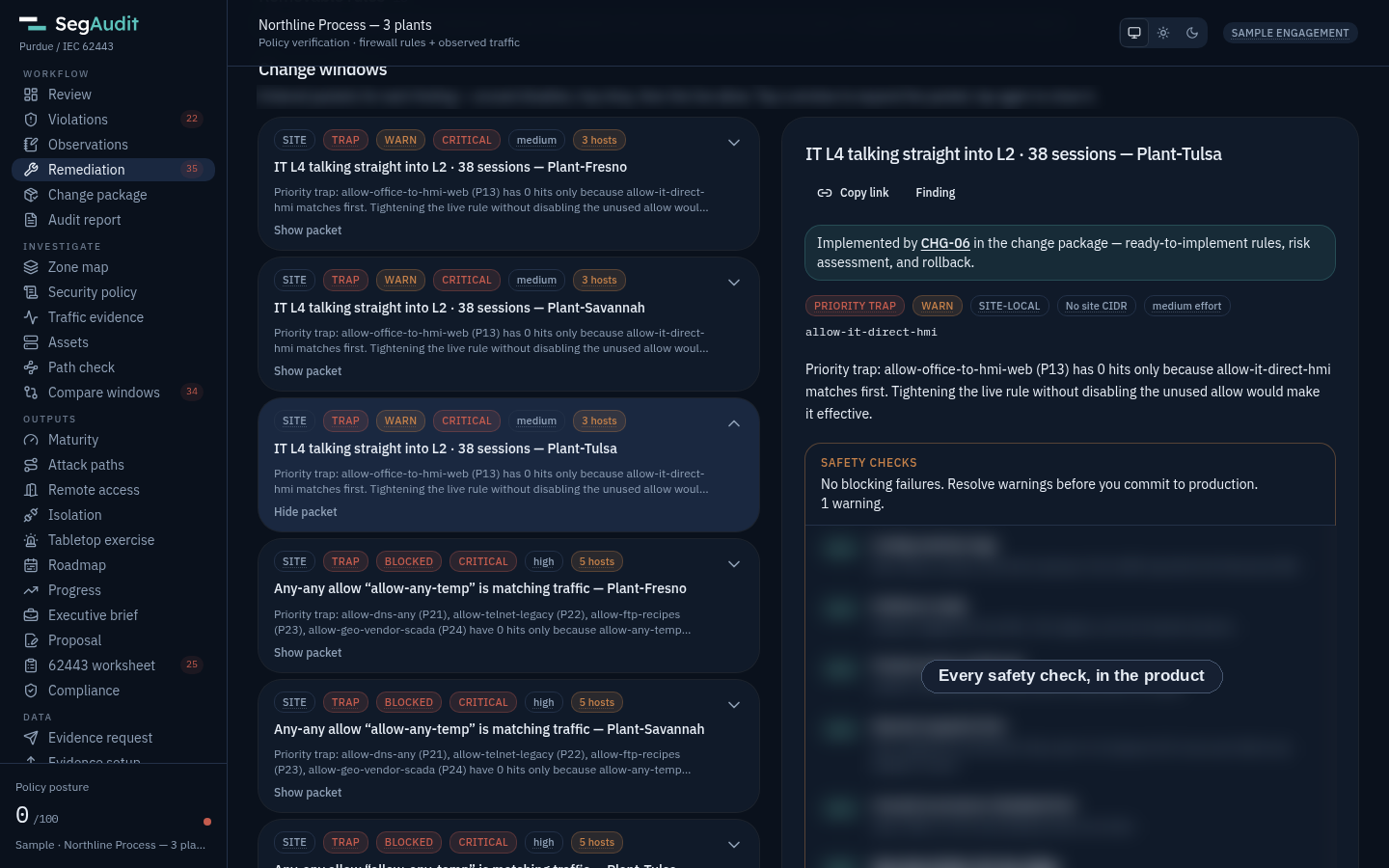
Changes go in a safe order, and safety gates block the window if it would cut a production host.
Change through your CAB
Each step carries pre-checks, CLI, web steps, rollback and a ticket. Global changes go to a pilot plant before the rest.
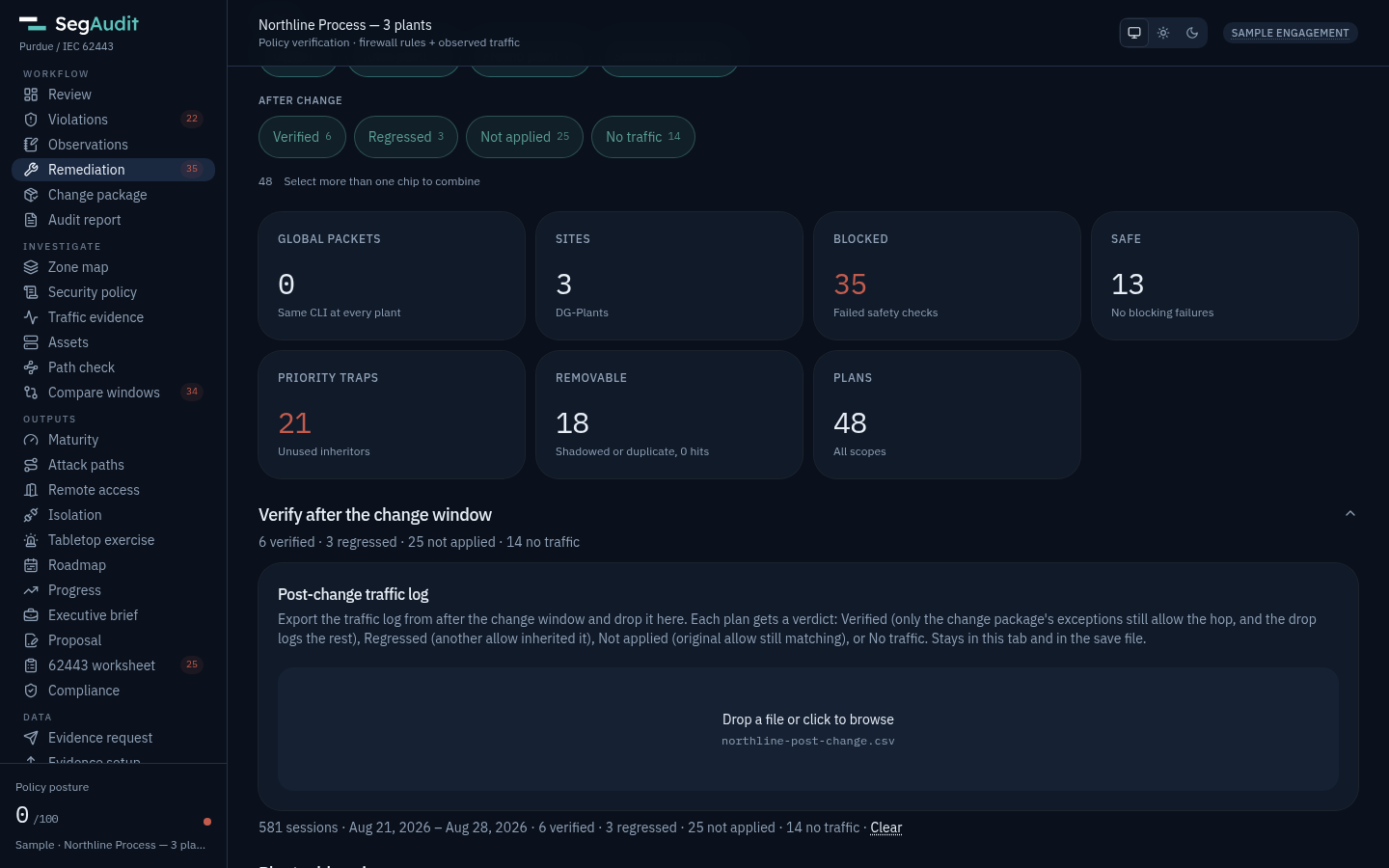
Prove it worked
Drop the next traffic log. Every plan comes back Verified, Regressed, Not applied or No traffic, and the quarter is saved as a checkpoint.
Built for the whole plant team
OT and controls engineers
See which sessions cross into Level 2 and below, which hosts depend on them, and what a change would break before anyone touches a rule.
Network and firewall team
Get ordered change windows with CLI, rollback and a CAB ticket, written for the Panorama, FortiGate, Cisco ASA, FMC or Check Point management server you already run.
Site and OT security leads
Track maturity, attack paths and open issues per plant, and run the periodic rule review in an afternoon.
CISO and plant management
A one-page brief per quarter: where each plant stands, what changed since last quarter, and what is still open.
What you get
Quarterly checkpoints
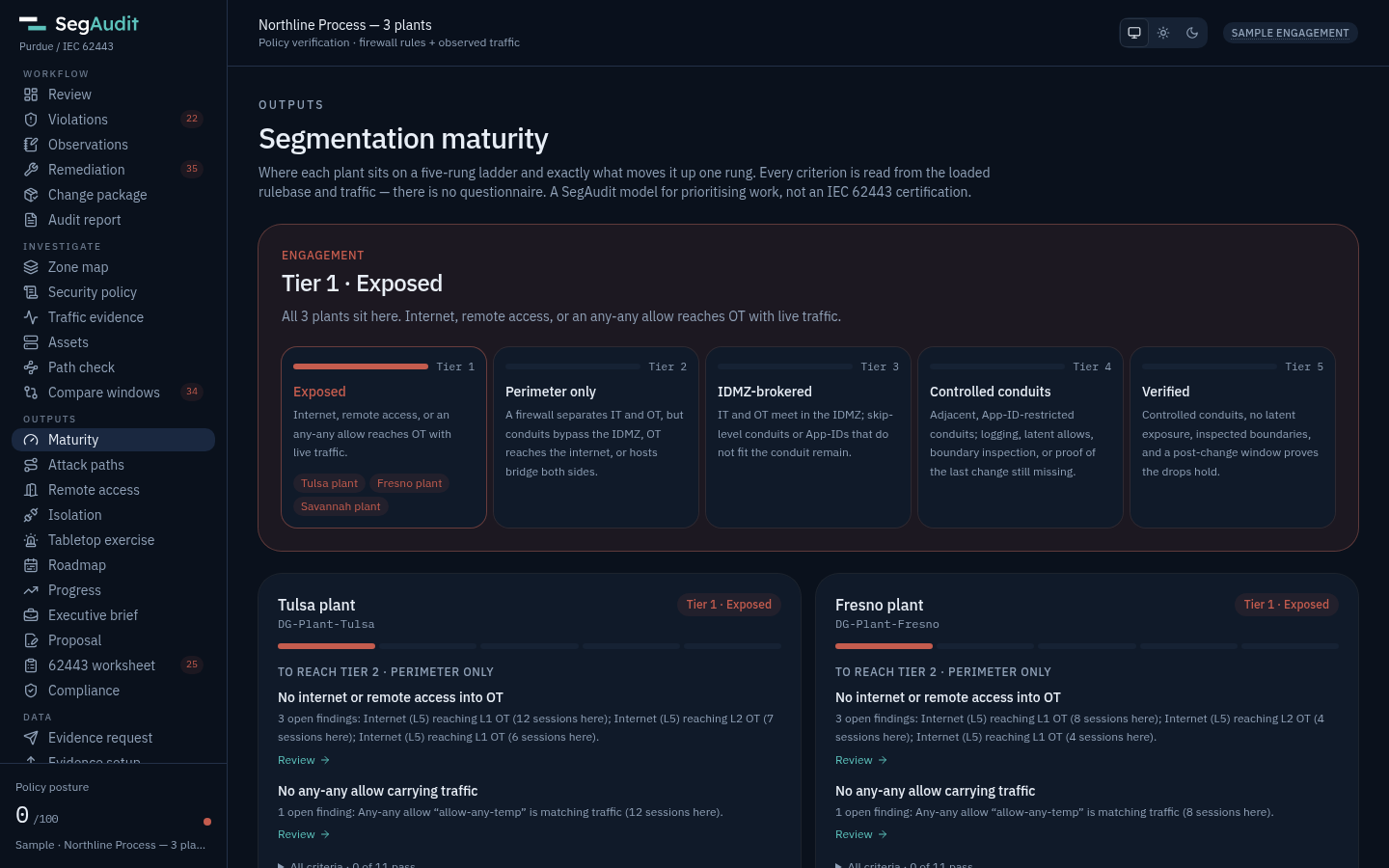
Maturity tier per plant, live attack paths, open issues and program remaining, compared quarter over quarter.
Periodic rule review
Every rule that touches OT with its hits, last hit and a keep, narrow, remove or recertify recommendation, plus a sign-off sheet.
Multi-plant aware
Plans per plant across a multi-site estate, pilot plant first.
Remote access inventory
Every way in from outside, who uses it and how often, with the jump-host change that replaces it.
Isolation readiness
Whether each plant can be cut off from IT in an incident and keep running, with two staged isolation rules ready to commit.
Tabletop and SOC
A ransomware exercise built on your own paths, and Splunk and Sentinel queries so the SOC sees the next bypass.
Asset inventory
Every address as an asset from Device-ID, object names and traffic, with its criticality and exposure.
Compliance evidence
IEC 62443-3-3, NIST CSF 2.0, NIST SP 800-171 and CMMC Level 2, ISO/IEC 27001 and NIS2 marked supported, partial or gap, plus NERC CIP, TSA, EPA water, Coast Guard and UK CAF when your sector answers to them.
Fits an OT environment
- Runs air-gappedOne signed container on a jump host. No internet, no account, no telemetry.
- Nothing on the plant networkNo agents, no span port, no firewall API. Only exported files go in.
- Your data stays putAnalysis runs in the browser on the jump host. Evidence never leaves it.
- Review it like any OT toolThe trust center covers data flow, hardening and supply chain, and the Plant edition includes source review under NDA.
Priced per plant
The Plant edition is $2,000 per plant per year, minimum 2 plants. Plants 10 to 24 at $1,500 each, plants 25 and up at $1,000 each. It covers unlimited internal users, quarterly re-assessment and priority support, billed by purchase order if you prefer.
Questions plant teams ask
Do we need Panorama?
No. SegAudit reads a Panorama running config, a standalone PAN-OS firewall config, a FortiGate backup with FortiGate or FortiAnalyzer logs, a Cisco ASA running config with its syslog, an FMC export with the FTDs' syslog, or a Check Point export with its logs. See firewall support for versions.
How much traffic log do we need?
A week shows what is in use. Ask for 30 days or more when you plan to retire rules that look unused, so rarer flows such as month-end jobs and vendor access show up.
Who runs it day to day?
Usually the firewall or OT security engineer. Unlimited internal users are included, so controls engineers and auditors can review the same findings.
Can we start without buying?
Yes. The free Community edition runs the full analysis of one plant, up to 2 firewalls, with one traffic window. Paid plans add checkpoints, unlimited plants and support.
The plant team workflow summarizes a quarter step by step. Working with an outside assessor instead? See SegAudit for consultants and the frameworks it maps to.